


MOZA KS: Controls, Compatibility and Your Own Racing Livery
The MOZA KS puts a recognisable GT layout in front of you: open grips, a row of shift lights and three rotary controls across the centre. That broad face is also where a racing livery makes its biggest difference. A blue Mustang-inspired design or bright Grello colours can change the character of your cockpit without replacing the wheel.
This guide covers the original MOZA KS: how to identify it, connect it and choose a KS-specific Lovely Stickers skin that works around its controls.
Cover: Lovely Stickers catalogue rendering of the Ford Mustang GT3 inspired KS design.
First, check whether you have a KS or a KS Pro
The original KS is a 300 mm butterfly-style wheel with a carbon-fibre-reinforced composite construction, TPE grips and a ten-LED rev strip. It has no integrated dashboard screen. The KS Pro is a different model, identifiable by its 2.99-inch display and different control layout.
That distinction matters when ordering a skin. The products linked here explicitly fit the MOZA KS Wheel. The same diameter does not make a KS skin a KS Pro skin: the screen, openings and face geometry must match. If you are unsure, send us a front photo through Contact before ordering.
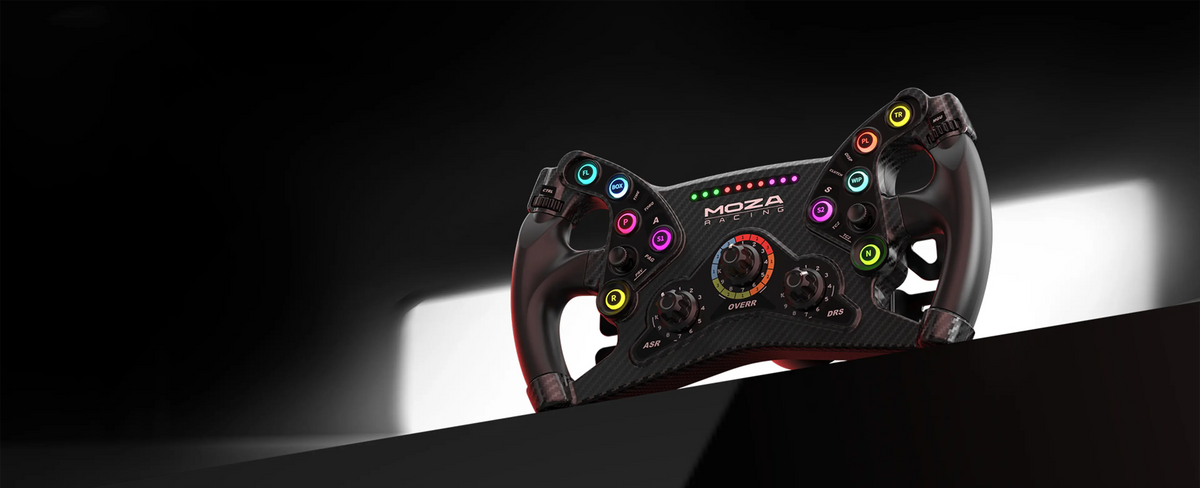
Image credit: MOZA Racing · Official product image.
What do the KS controls actually give you?
The official KS specification lists ten illuminated buttons, two clickable joysticks, two thumb encoders and three central rotary encoders. Behind the wheel are two magnetic shift paddles and two clutch paddles.
For a practical starting layout, reserve easy-to-reach buttons for functions you need in traffic, such as the pit limiter or a look-back command. Use an encoder for adjustments you repeat during a stint. Brake bias, traction control and ABS are examples where the simulator and car support them; the printed labels do not assign those functions automatically.
The clutch paddles offer combined-axis, independent-axis and button modes in MOZA's software. Set the mode to suit the game's input support, then check the bindings before driving. Their presence does not require you to use a dual-clutch start in every car.
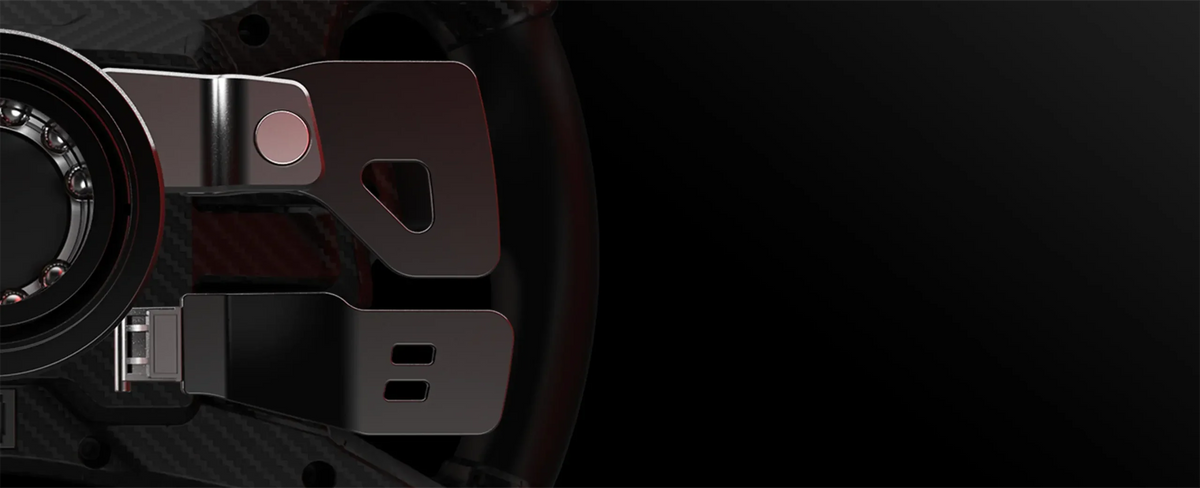
Image credit: MOZA Racing · Official product detail.
Connecting a KS: check the base generation, too
MOZA's current compatibility chart lists direct KS connection to the R3, R5, R9 V2/V3 and R12 V1/V2, among other supported bases. Older generations need particular attention: “R9” on its own is not a precise enough compatibility check.
For a third-party base, MOZA describes a PC connection through its Universal Hub Kit. Plan both parts of that setup: a compatible mechanical mounting arrangement and the electronic connection for the wheel's controls. A quick release fitting physically is not the whole answer. Follow the manufacturer's compatibility guidance for your exact hardware and platform.
If you also want to decorate the base, our MOZA R5, R9 and R12 skin guide explains the separate base-version checks.
Choose the livery around the cockpit you want
The KS has a large central area, so a livery remains visible between your hands. Compare the colours and the markings around the rotary controls as well as the design name.
The 2026 Ford Mustang GT3 inspired skin, shown on the cover, combines blue and white with a large horse graphic. It suits a cockpit where you want a strong central motif. The 2024 Grello Porsche 911 GT3R inspired skin goes in a different direction, using yellow and green to make the wheel stand out against dark hardware.

Image credit: Lovely Stickers · Catalogue rendering.
Browse the full MOZA KS collection to compare designs on the same wheel shape. If the livery you have in mind is missing, contact info@lovelystickers.com with your wheel model and design idea so we can discuss it.
Fitting the skin without dismantling the wheel
The linked LS kits use laminated polymer-based stickers. Their product instructions say the wheel does not need to be taken apart: the cut-outs fit around its buttons and features. The rotary knobs do need to be removed using a plastic prying tool.

Image credit: Lovely Stickers · Product artwork.
- Check the kit before peeling. Compare the artwork with your KS and identify the openings around the LEDs, buttons and rotary shafts.
- Prepare the face. Follow the product instructions for knob removal, then make sure the application surface is clean and dry.
- Align before pressing down. Use the control openings as reference points and apply smoothly, checking alignment as you go.
- Check the controls afterwards. Refit the knobs and confirm that buttons and rotary controls move freely before your next session.
These stickers are not intended for repeated peeling and reapplication. Read the wheel-skin application tutorial linked from the KS product pages before starting, alongside the instructions for your kit.
Ready to give your KS its own racing identity? Explore the MOZA KS skins and choose the design you want to see every time you settle into the cockpit.
Hardware and kit information checked on 14 October 2026 against MOZA's product and support pages and the linked Lovely Stickers listings. Official product images and LS catalogue renderings are credited separately.